
I recently gifted my sister a C2C (corner to corner) crochet blanket at her baby shower, so naturally I thought, “Why not try making a full-sized blanket next?”
I searched and searched through Pinterest for inspiration and patterns in late December, and I stumbled across temperature blankets. With it almost being the new year, it was perfect timing.

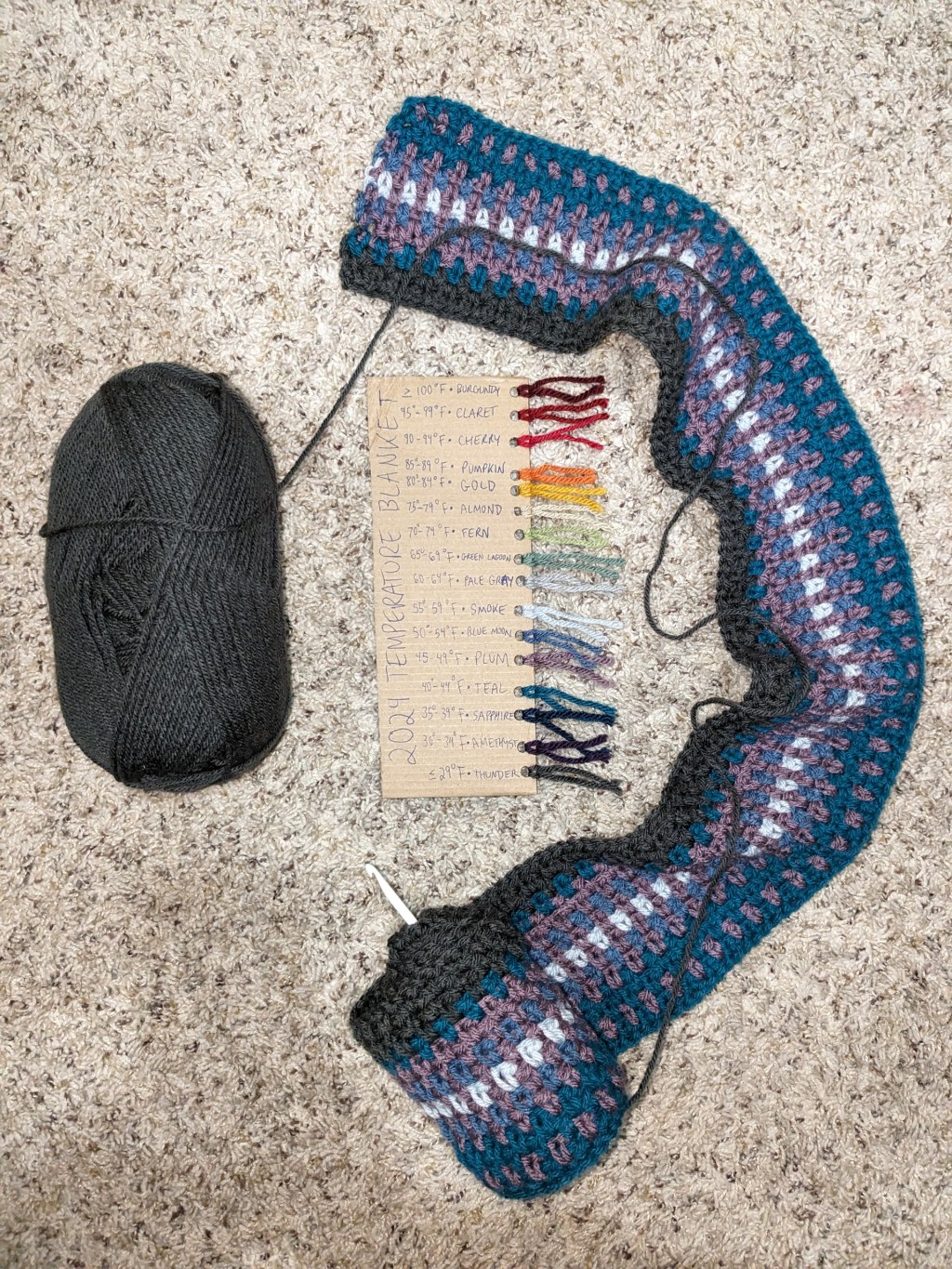
Progress as of January 17, 2024 on the temperature blanket. I’m using Impeccable Solid Yarn by Loops & Threads from Michaels with a moss stitch. Over the last three days, we’ve had snow and super cold temperatures as you might be able to tell!
Now saying that I’m an organized person is kind of an understatement. I use Notion for almost everything in my personal life and at work, so naturally I built a tracker in Notion to record my temperature blanket progress.
A project that lasts a whole year can be daunting. Some of the benefits of using a temperature blanket tracker include:
- Recording the temperature daily if you aren’t able to crochet or knit for a few days
- Checking off rows as you go instead of having to count from the starting row
- Being able to easily see how many rows of a certain color you’ve logged so far
- Keeping your colors organized
- Being able to immediately know what color goes with which temperature range
- Encouraging consistency with daily logging
Duplicate my temperature blanket tracker template for free here.
If you’ve never used Notion before, I’ll give you a quick tutorial of how to get your tracker started in 6 easy steps! The tracker consists of two parts: the color guide and the temperature log.
First, start with the color guide.
Step 1. Add your colors. The template starts with 16 colors corresponding to 16 temperature ranges but you can change, add, or remove the temperature ranges for each color.

Step 2. Add the item numbers (optional) just in case you need to buy another skein!

Next, log days in the temperature log. If you need to go back and find temperature data for days past, I recommend you check out the Temperature Blanket website.
Step 3. Scroll down to the temperature log and click the plus icon on the day you want to log.
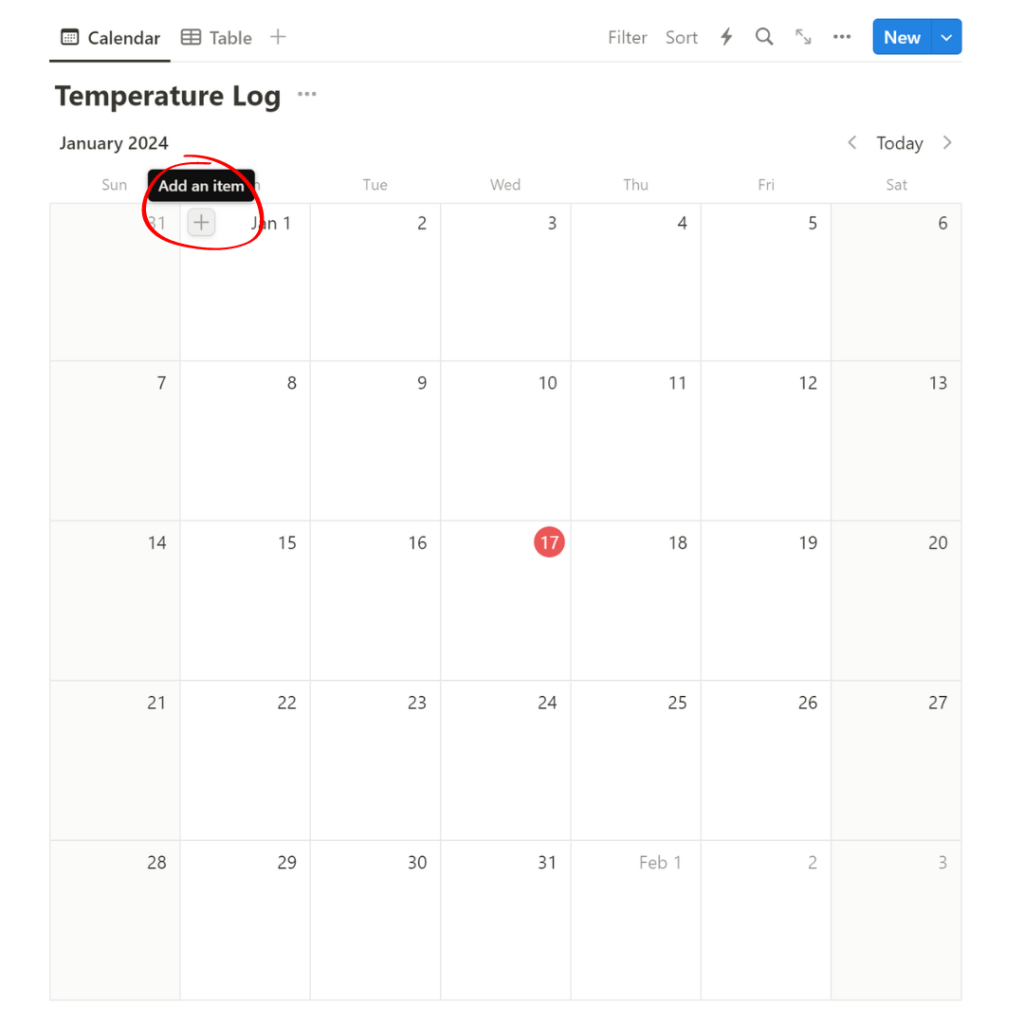
Step 4. Type the degree of the day you want to record in the page title. I do the high temperature of the day, but you could do the low temperature of the day or the average temperature.
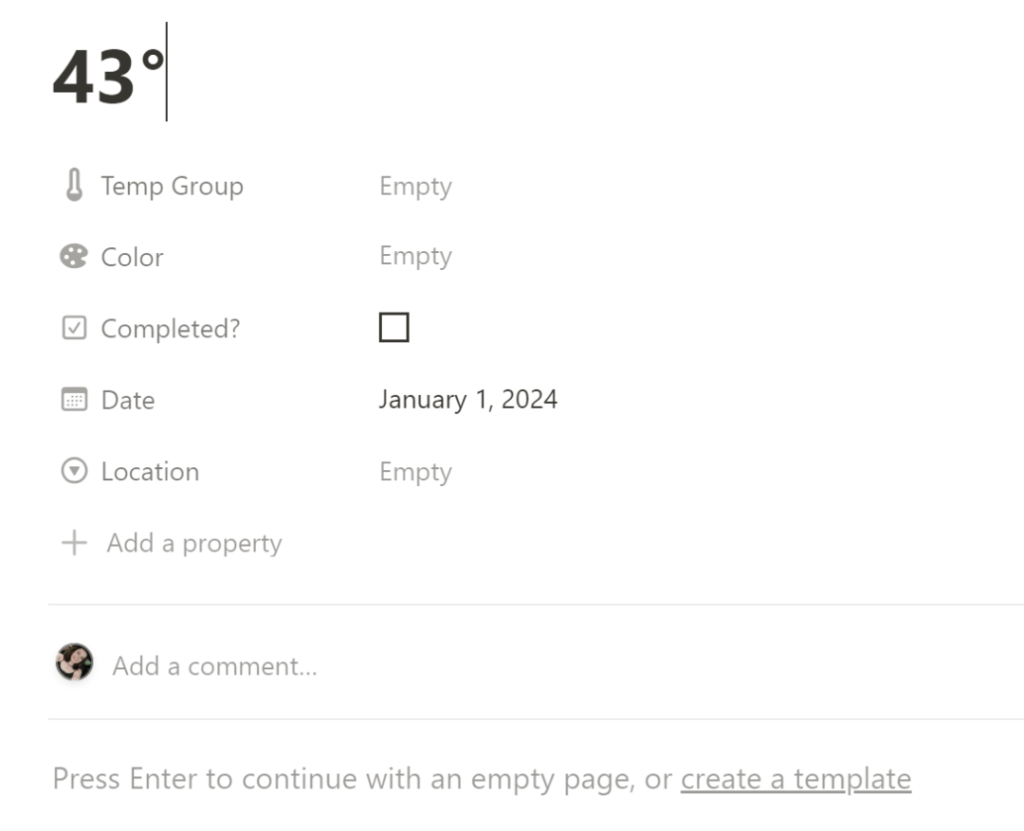
Step 5. Select the temperature group that day’s degree corresponds with. The color to use for the day will automatically populate in the Color column.

Step 6. OPTIONAL: Select the location of the temperature. I’m using the high temperature of the location where I spent the most time on any given day, so if I travel I’ll be using that location to find the high temperature.
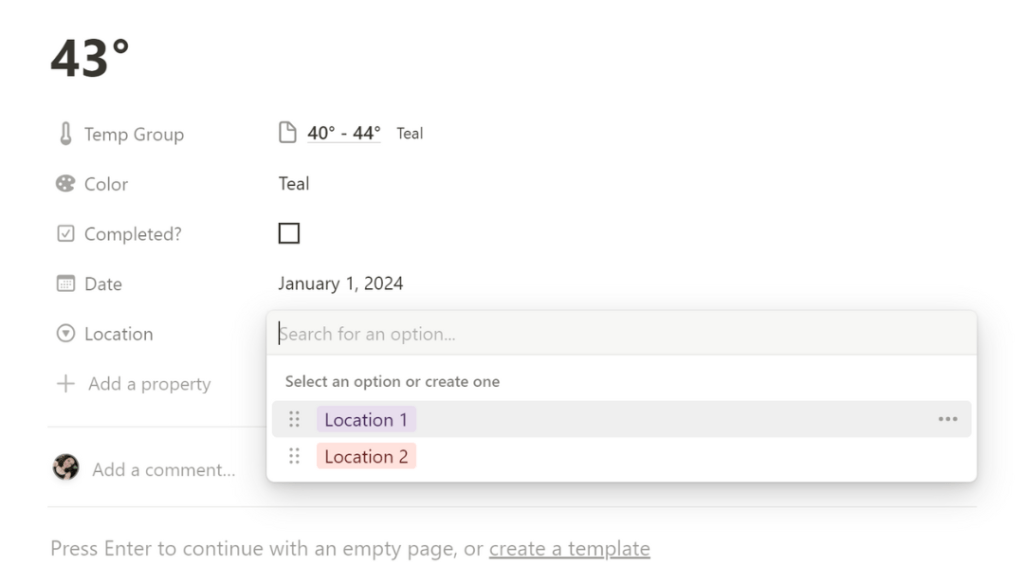
To rename the locations from “Location 1” and “Location 2”, click the 3 dots on the right side and type in the new name.
And there you have it! You can scroll up to see the day logged in the color guide.

Scroll down to the temperature log and click the Checklist tab. From there, you can check off days as you crochet!
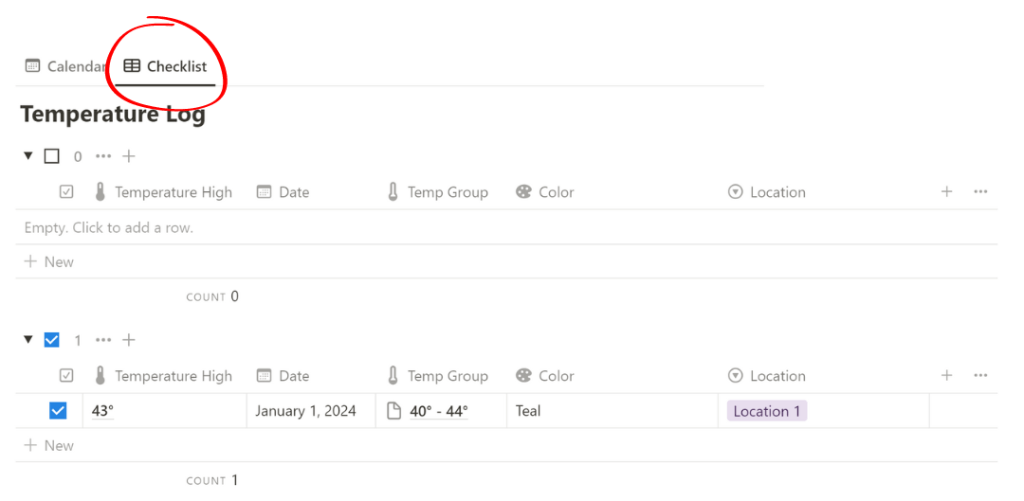
In conclusion, my temperature blanket tracker helps me stay organized and keep consistent with this year-long project. I’m able to check off rows as I go and keep temperatures logged if I miss crocheting a day or two, and my favorite part is being able to immediately know what color to use after logging the day’s temperature.
Would you use this log? Would you want to see any features added? So far I’ve enjoyed using it to organize my temperature blanket. Share your temperature blanket experiences or ask me any questions you have in the comments below!

 Kelsey Crochets
Leave a reply to 5 Things I Wish I Knew Before My First C2C (Corner to Corner) Crochet Project – Kelsey Crochets Cancel reply